How much is enough?
Turn your household, pets, planning period, and outage setup into a practical food and water target.
Build a personalized food and water target in a few minutes. Save it to manage inventory, rotation dates, shopping gaps, and household progress in one calm workspace.
The planner turns each one into a clear target, a known starting point, and a practical next action.
Turn your household, pets, planning period, and outage setup into a practical food and water target.
Connect stored food and water to the plan so coverage is based on what is actually on the shelf.
Keep package dates and locations together so older supplies are easier to rotate before they are forgotten.
Shop from known gaps and familiar foods instead of adding more of what your household already has.
You do not need a perfect pantry or a complicated spreadsheet. Start with the household, add what is already there, and improve it over time.
Choose who the plan covers, a planning period, and the conditions your stored food should work under.
Quickly record food, water, package information, dates, and storage locations.
Watch coverage, rotate older items, and shop for gaps that matter to your household.
These are real Food Storage Planner screens using illustrative household details—not stock dashboard mockups.
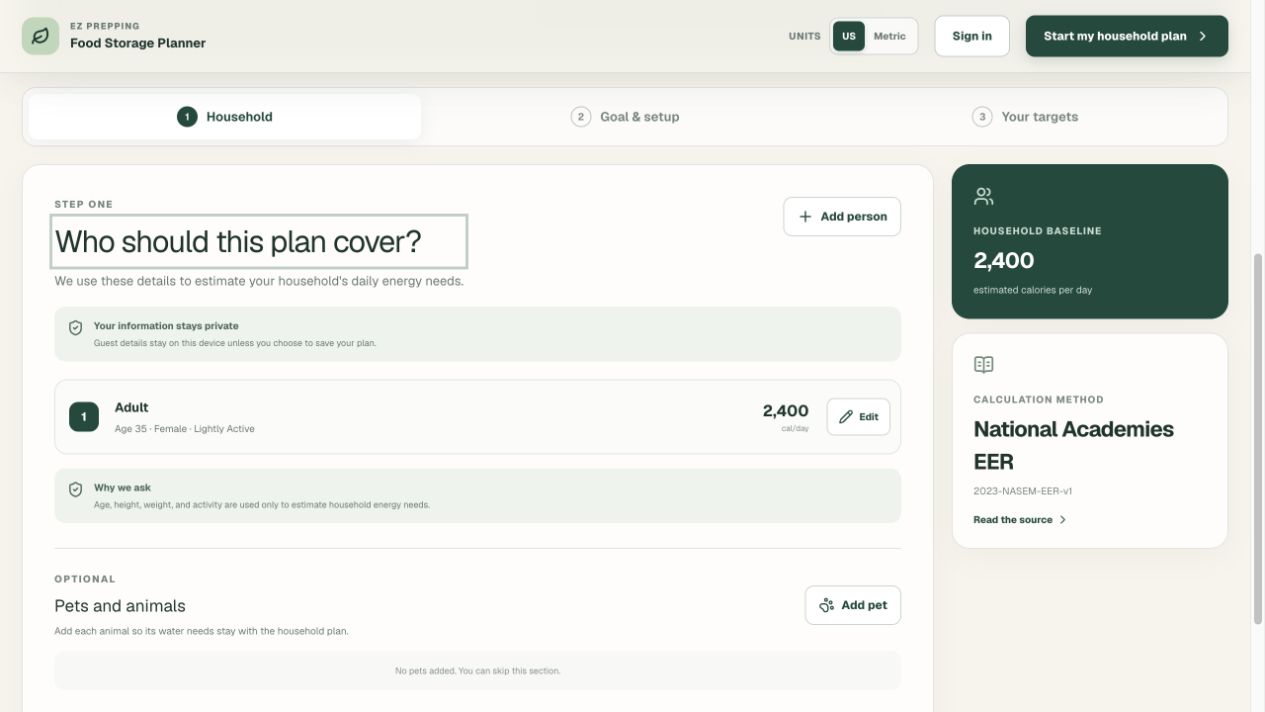
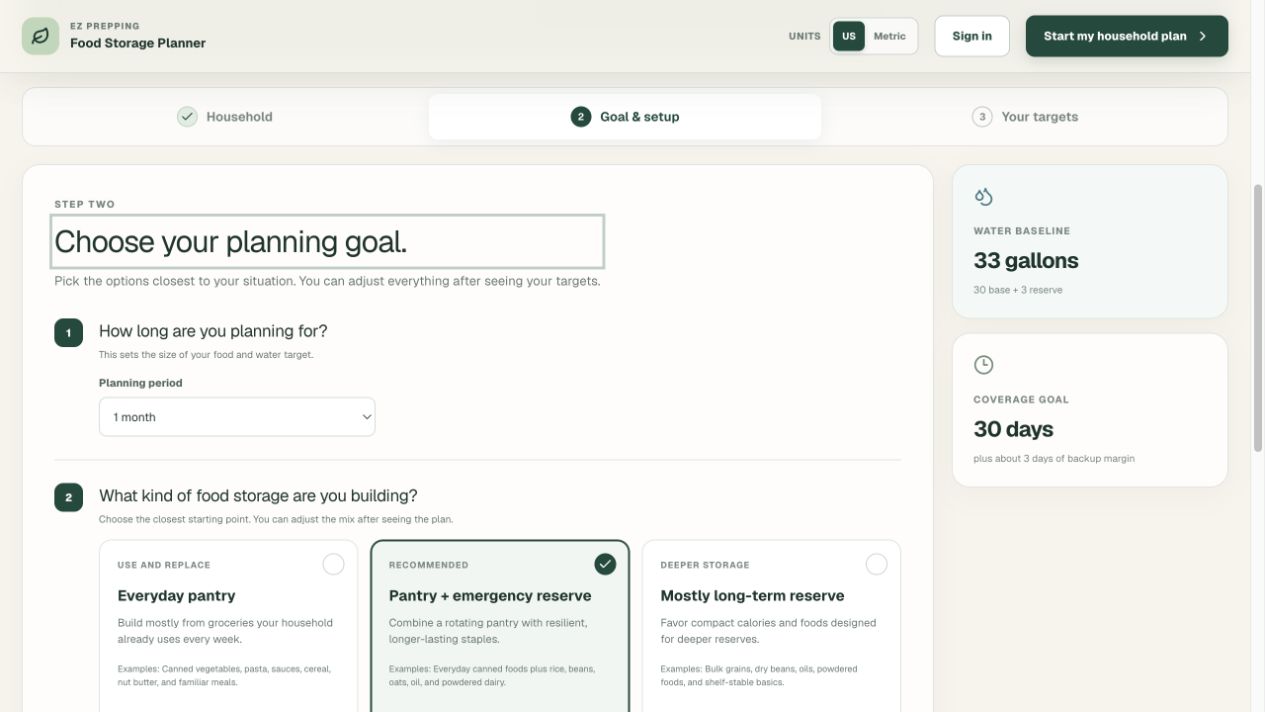
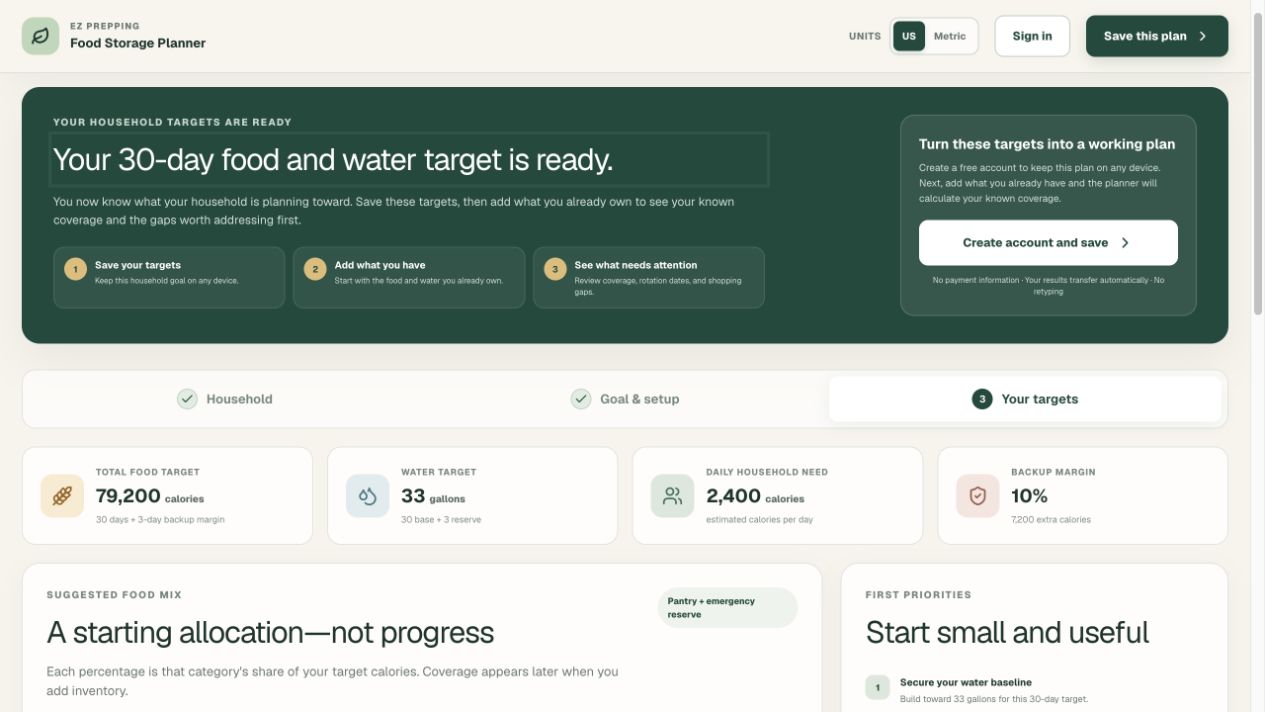
The account workspace carries the plan forward into inventory, rotation, shopping, and household routines.
See daily energy needs, total food calories, water, backup margin, and an adjustable category mix.
Known food and water coverage stays separate from items that still need usable nutrition or package details.
Review dated items first, record what was used or discarded, and keep inventory history connected.
Maintain one household list, pace a monthly budget, and move a purchase into inventory without retyping it.
Start with the essentials, scan or enter a barcode when useful, and confirm imported package information.
Use custom storage locations, choose US or metric units, and invite household members with appropriate access.
No artificial paid tier and no payment information. Create an account when you want the calculator to become an ongoing household workspace.
Household measurements are used to estimate energy needs. Google sign-in requests only basic identity. Inventory coverage shows what is known and calls out missing information instead of inventing certainty.
Start with the calculator when you are ready. Nothing here depends on creating an account first.
Yes. The household calculator and the complete account workspace are currently free during testing. No payment information is requested.
Yes. Complete all three calculator steps and review your personalized food and water targets before deciding whether to save them.
An account keeps your household plan available across supported devices and unlocks inventory coverage, rotation dates, shopping and budget tools, storage locations, and household access.
The planner estimates household energy needs using the details you enter, then applies the planning period and backup margin. Category percentages allocate that total without pretending every household needs the same pantry.
Water begins with a planning baseline for each person, adds any animal water you enter, and applies the selected backup margin. Climate, health, pregnancy, illness, and official local guidance may require adjustments.
Yes. Choose the Water category and enter the number and volume of the containers. The planner converts supported liquid units into known water coverage.
Yes. Barcode lookup can provide a useful starting point for product and nutrition details. You remain in control of confirming the package, quantity, and printed best-by or use-by date.
Yes. Household owners can invite other people and manage member access. Plans, inventory, shopping, and rotation records remain connected to the household.
Google sign-in supplies basic identity information needed to create and access your account, such as your email address, name, and profile image. The planner does not request sensitive or restricted Google scopes.
No. The planner provides transparent educational estimates. Confirm important decisions with qualified professionals, current official guidance, product labels, and the needs of your specific household.
Signed-in members can download household records from Settings and request deletion of their account and household data.
Build a practical household target, then decide whether you want help tracking what comes next.